Edge Vision AI
Based on lightweight edge cameras and industrial-grade multi-channel AI compute hosts, build an edge vision solution for object detection, zone intrusion alerts, and automated linkage.
Core Hardware
- CAM-L reCamera 2002w/2002 Lightweight Edge Node · On-Device NPU Inference · RTSP Streaming
- CAM-H reCamera 2002 HQ PoE 8GB PoE Primary Camera Position · Multi-Channel NVR Aggregation
- EDGE reComputer RK3576-30 Lightweight Inference Host · 6 TOPS NPU · Node-RED Linkage
- NVR reServer Industrial J4012 Jetson Orin NX 16GB · Frigate Multi-Channel Aggregation · TensorRT
- NET 8+2-Port Gigabit PoE Switch 802.3af/at · PoE Power & Traffic Aggregation
What This Module Solves
Traditional surveillance only supports post-event video playback and cannot generate structured alerts the moment a risk occurs. Motion detection is heavily disrupted by lighting changes, rain/snow movement, resulting in high false-alarm rates. Custom vision AI development has long cycles, requires dedicated algorithm engineers and specialized server racks, and solution providers struggle to balance performance and cost between single-point embedded devices and multi-channel centralized servers.
- Difficulty
- Advanced
- Duration
- L1 1 day / L2 2–3 days / L3 3–5 days
- Shortest Format
- 1 day (Taster Session · L1)
- Teaching Format
- 3 tiers: Taster / Workshop / Bootcamp
- Dual Hardware Mainlines
- reCamera (Lightweight Node) + Jetson Orin NX (Heavyweight Node)
- Core Protocols
- RTSP / MQTT / PoE 802.3af/at / REST API
L1: basic networking and browser operation experience, able to connect Wi-Fi and access web interfaces. L2: understanding of IP networking, Docker, and MQTT fundamentals, able to edit YAML configuration files. L3: Python and Linux command-line fundamentals, familiar with basic object detection principles.
Typical Scenarios
Key Capabilities
- Configure reCamera on-device object detection and RTSP streaming
- Orchestrate Node-RED vision events with audio-visual alert linkage
- Build Frigate multi-channel RTSP aggregation and NVR recording management
- Configure detection zones (Zones) and confidence threshold tuning
- Integrate Home Assistant cross-system automation linkage
- Train custom YOLO models and complete TensorRT/cvimodel quantization deployment
Course Hardware
This course centers on "open-source AI cameras + edge inference boxes", covering the full pipeline from capture and inference to alerts.
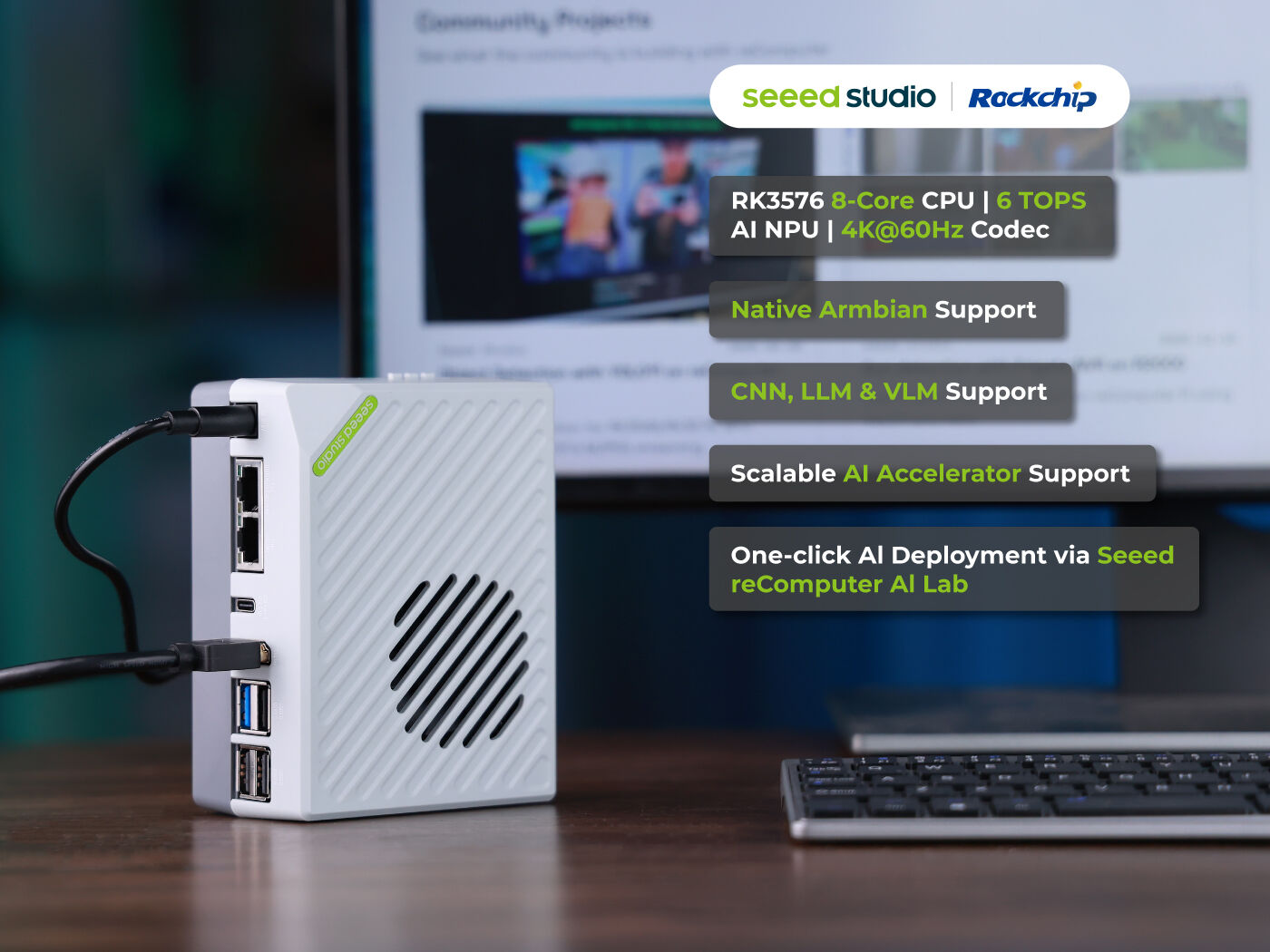
reComputer RK3576-30 (100052518)
Lightweight vision inference host, 8GB RAM, 6 TOPS compute
Edge intelligence controller running event联动 and lightweight video monitoring dashboards. Equipped with 8GB RAM and 6 TOPS NPU compute, suitable for L1/L2 lightweight vision inference and Node-RED event联动. Can serve as a lightweight deployment host for Frigate and Home Assistant.
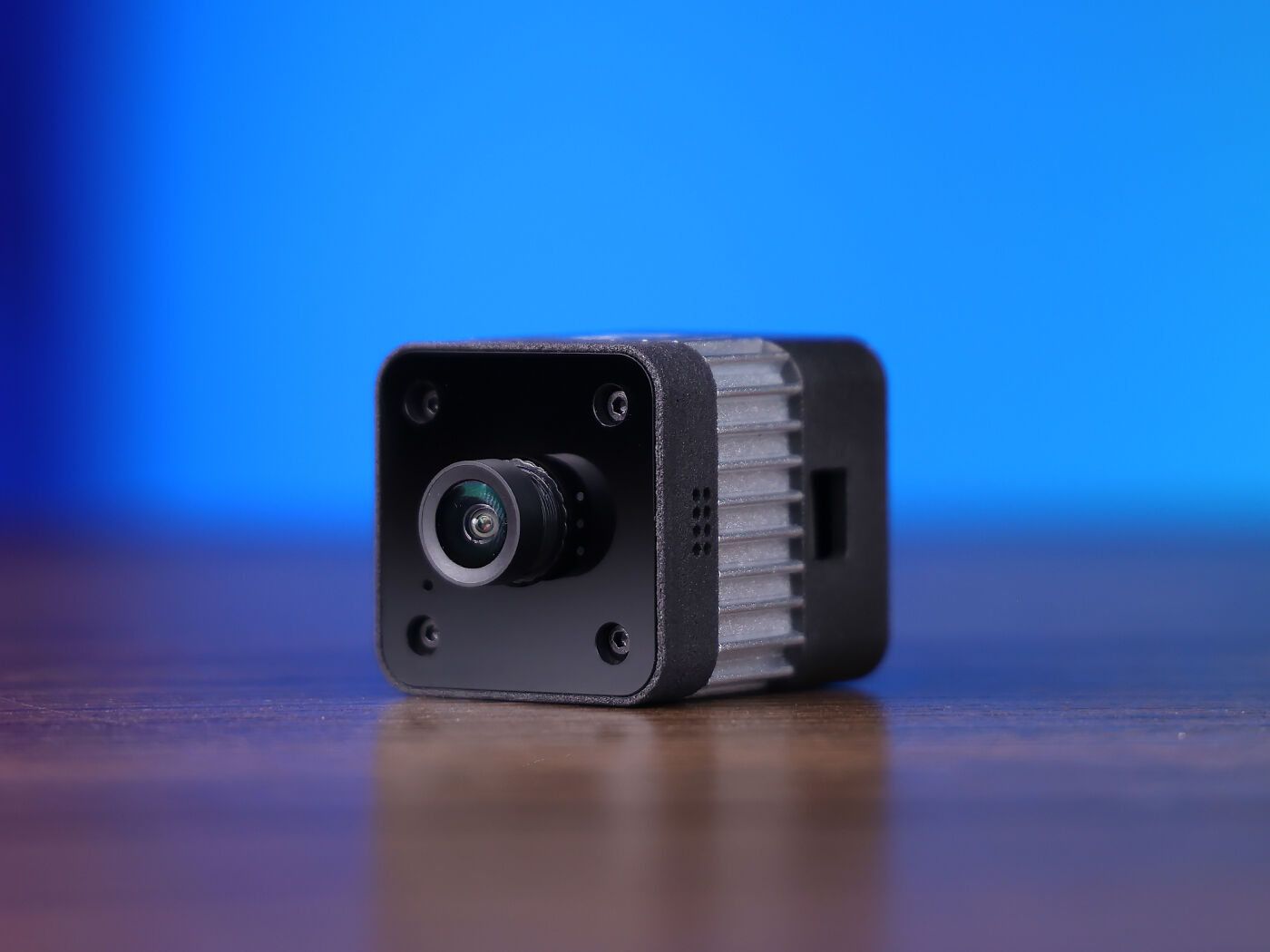
reCamera 2002w/2002 (102991896/102991894)
Single-camera vision node, on-device lightweight object detection and RTSP streaming
Modular open-source AI camera; 2002w supports Wi-Fi/AP mode, 2002 supports 100Mbps wired Ethernet. Built-in NPU inference and Node-RED zero-code orchestration, plug-and-play, suitable for L1 single-point lightweight node experience and L2 on-device automation联动. Supports RTSP video stream output (port 554).
reCamera 2002 HQ PoE 8GB (100029708)
Multi-camera primary camera, PoE single-cable power and streaming
Modular open-source AI camera, supports PoE switch single-cable power and video streaming. 8GB RAM configuration, suitable as the primary camera position for multi-channel NVR aggregation analysis. Connects to Frigate via RTSP, supports detection zone and confidence threshold configuration.
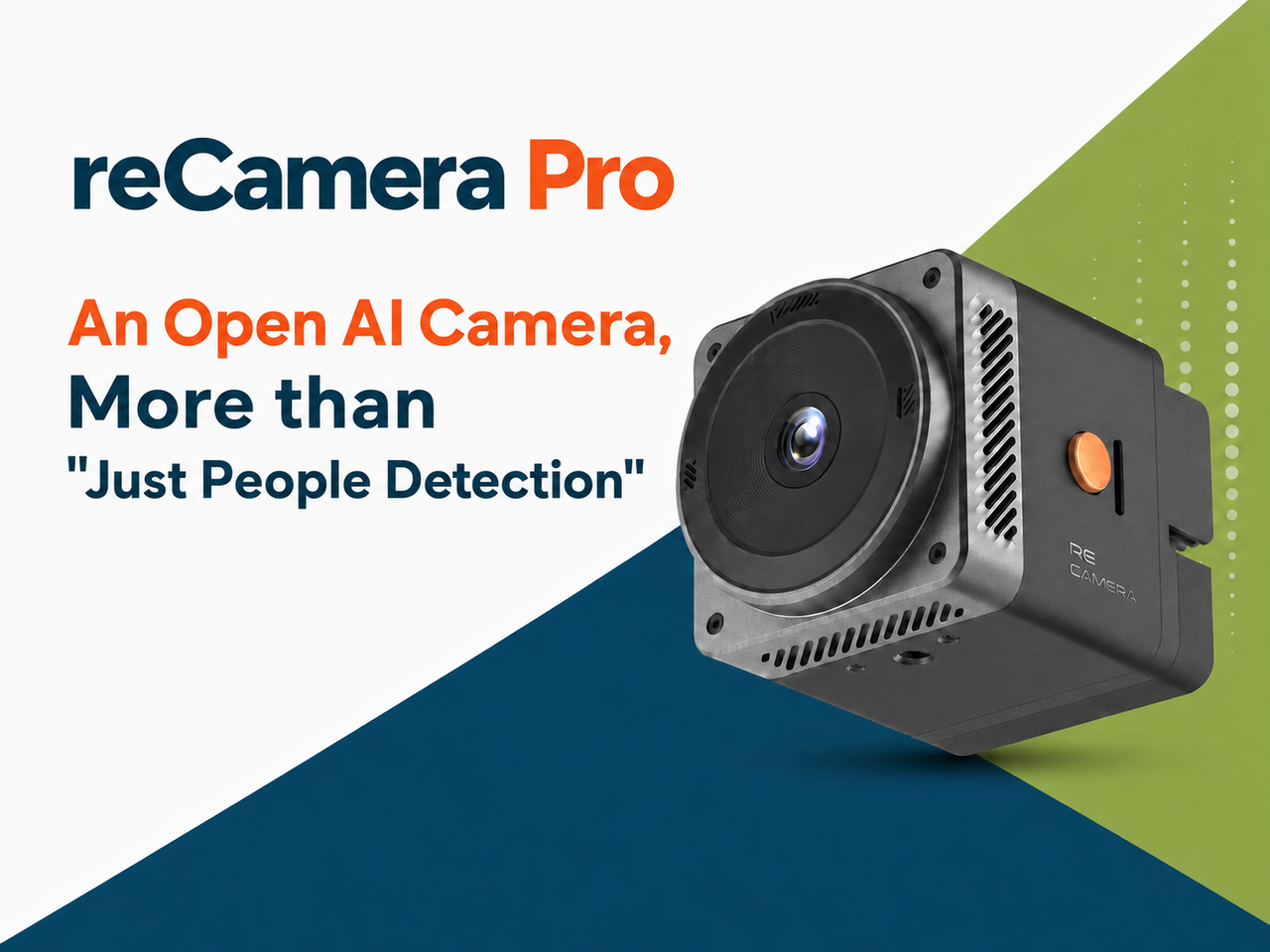
reCamera Pro AI Camera (100092895)
High-Performance Open-Source AI Vision Camera, Advanced Vision Development & Higher-Compute Model Verification
Optional expansion device, high-performance model in the reCamera series, suitable for advanced vision development and higher-compute model verification. Can handle more complex on-device inference tasks and multi-model parallel verification, serving as an advanced compute option for L2/L3 stages.
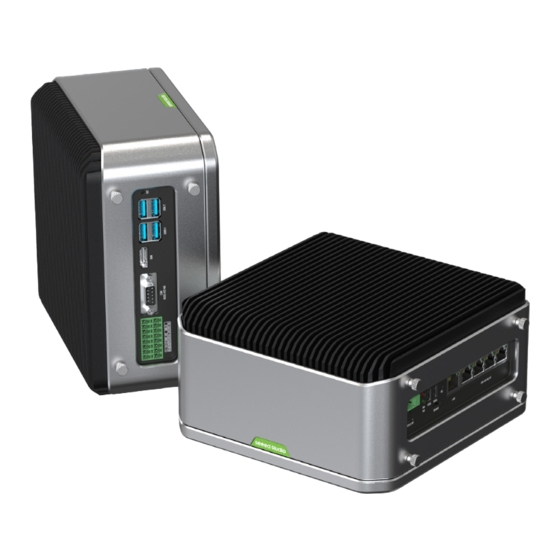
reServer Industrial J4012 (Jetson Orin NX 16GB, 114110247)
High-performance video hub, industrial-grade Jetson edge server
Industrial-grade Jetson Orin NX 16GB edge computing server, running Frigate NVR for multi-channel detection aggregation. Supports GPU hardware decoding and TensorRT quantization acceleration, suitable for L2 multi-channel video stream aggregation and L3 custom model inference deployment. Requires flashing JetPack image and configuring Docker --runtime nvidia; Frigate uses the stable-tensorrt-jp6 image.
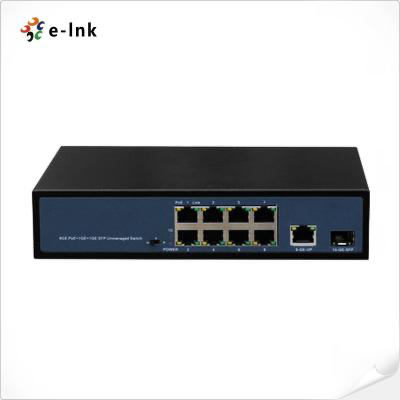
8+2-Port Gigabit PoE Industrial Switch (802.3af/at)
Centralized power supply and high-speed networking
8+2-port gigabit PoE switch, compliant with 802.3af/at standards. Powers PoE cameras and aggregates LAN traffic, suitable for multi-channel reCamera HQ PoE centralized deployment and Frigate NVR aggregation scenarios.
Additionally configured with CUDY AX3000 Wi-Fi 6 gigabit router, mini tripod ×3 (114993412), portable 13.3" 1080P on-site monitor (with mini HDMI and Type-C cable), Cat6 gigabit Ethernet cable ×4 (1m), Bull 3-position 5-hole + 3×USB power strip, scenario simulation material kit (hard hat/reflective vest labels, test workpiece models).
Codecraft helps you dare to make, aily-blockly helps you finish it
M0 adopts dual-platform relay toolchain for zero-install, 5-minute results.
reCamera + Node-RED
On-Device NPU Inference + Zero-Code Orchestration · RTSP/MQTT
- Device Power-On & Network Connection
- RTSP Video Stream Output
- Pre-Trained Model Object Detection
- Node-RED Event Linkage
Frigate NVR + Home Assistant
Multi-Channel RTSP Hardware Decoding + Zone Detection + MQTT Alerts
- Multi-Channel RTSP Access
- Zones/Masks Configuration
- Confidence Threshold Tuning
- HA Automation Linkage
YOLO + TensorRT / cvimodel
Data Annotation + Transfer Learning + Quantized Deployment
- Dataset Collection & Annotation
- YOLO Transfer Training
- ONNX Export
- TensorRT/cvimodel Quantization
- Edge Device Runtime Verification
Additionally requires Mosquitto MQTT Broker (carrying structured alert events, port 1883), InfluxDB+Grafana (L3 detection statistics and time-series dashboards), CVAT/Roboflow (L3 dataset annotation platform).
Three-tier Progression: Demo → Consultant → Design
Dual-Track Experience and Basic Configuration
Own Your Smart Vision Sentinel, Define Alert Zones and Auto-Capture Evidence
- Understand core vision concepts such as frame rate, resolution, confidence threshold, and IoU
- Independently complete reCamera device network configuration and video stream output
- Master the applicable boundaries and selection criteria for lightweight-node and heavyweight-node solutions
- Complete network configuration and basic object detection verification for one reCamera node
Dual-Track Scenario Automation and Multi-Channel Aggregation
Upgrade Existing Legacy Cameras into a Smart Monitoring Network, Filter False Alarms and Link On-Site Audio-Visual Alerts
- Master using Node-RED on reCamera for local edge-event linkage
- Master Frigate frigate.yml multi-channel configuration, zone drawing, and parameter tuning
- Master Frigate and Home Assistant linkage configuration and cross-system event-driven logic
- Complete one full system with 2+ RTSP channels, Frigate detection, HA linkage, and false-alarm tuning
Model Customization and Edge Deployment Optimization
Customize Dedicated Vision Recognition Models, Real-Time Dashboard Business Data
- Master the complete engineering loop of vision AI from data annotation and model training to edge deployment
- Master the key toolchain for TensorRT and embedded model quantization conversion
- Capable of independently designing and delivering vertical-industry vision recognition solutions
- Deliver one custom-trained object detection model and complete on-hardware runtime verification
Curriculum / 15 teaching modules
Same module order, you choose the cut
Select a format to see which modules it covers.
| Module / Output | Taster1 day | Workshop2–3 days | Bootcamp3–5 days | ||
|---|---|---|---|---|---|
| 01 | Pre-class Preparation and Environment Pre-checkHardware bench inventory, network environment configuration, reCamera firmware pre-flashing and Node-RED/SSCMA plugin verification, Frigate container deployment and GPU passthrough configuration, teaching material distribution | — | Full | Full | Full |
| 02 | Vision AI Core Concepts & Dual-Mainline ArchitectureFrame rate FPS, resolution, confidence threshold, IoU; reCamera lightweight node vs Jetson heavyweight node technical metrics, cost, and applicable boundary comparison | — | Full | Full | Full |
| 03 | reCamera Single-Point Lightweight Node ConfigurationPower-on and network connection (2002w Wi-Fi/AP, 2002 100Mbps wired, HQ PoE switch power), web interface access, RTSP video stream verification (port 554), pre-trained model switching | reCamera Web UI | Full | Full | Full |
| 04 | Basic Intrusion Detection & Zone DrawingDraw basic detection boxes, observe target entry triggering events, observe on-device NPU inference frame rate and confidence changes | reCamera / SSCMA | Full | Full | Full |
| 05 | Jetson Multi-Channel NVR Architecture DemoFrigate multi-channel RTSP access and GPU hardware decoding demo, object detection and recording management, intrusion detection → MQTT push → audio-visual alert linkage demo | Frigate NVR | Partial | Full | Full |
| 06 | Node-RED Vision Event OrchestrationSSCMA model node configuration, confidence filtering and object type filtering, Dashboard real-time view and alert status dashboard construction | Node-RED / SSCMA | None | Full | Full |
| 07 | Multi-Channel Alert LinkageMQTT message publishing drives smart bulb color change and buzzer sounding, Webhook node pushes alerts to enterprise WeChat group bot | Node-RED / MQTT | None | Full | Full |
| 08 | Frigate Multi-Channel Camera Configurationfrigate.yml configuration structure analysis, multiple reCamera RTSP address addition, detection frame rate configuration (5–10FPS), Zones and Masks definition | Frigate / YAML | None | Full | Full |
| 09 | Home Assistant Deep IntegrationFrigate HA integration plugin installation and configuration, camera entity and sensor status mapping, time-based and zone-intrusion-based automation YAML script writing | Home Assistant / YAML | None | Full | Full |
| 10 | False-Alarm Rate Tuning Hands-OnConfidence threshold adjustment (Min Score/Threshold), Zones coordinate optimization to exclude tree branch swaying/reflection/background clutter, pre/post-tuning false-alarm data comparison records | Frigate | None | Full | Full |
| 11 | Dataset Collection & AnnotationField data collection strategy (lighting changes/multi-angle sources/positive-negative sample balance), CVAT or Roboflow object detection bounding box annotation, dataset split 7:2:1 and data augmentation | CVAT / Roboflow | None | None | Full |
| 12 | YOLO Model Transfer LearningYOLO object detection principle and backbone network analysis, PyTorch training environment and pre-trained weight configuration, Loss convergence curve and mAP@0.5 metric monitoring | YOLO / PyTorch | None | None | Full |
| 13 | Edge Model Conversion & DeploymentONNX format export, Jetson TensorRT Engine conversion, reCamera TPU-MLIR INT8 quantization to cvimodel, on-device inference latency/FPS/VRAM measurement | TensorRT / TPU-MLIR | None | None | Full |
| 14 | Structured Data Aggregation & DashboardsObject detection statistics written to InfluxDB time-series database, Grafana alert frequency statistics/zone heatmap/compliance rate trend dashboard construction | InfluxDB / Grafana | None | None | Full |
| 15 | Solution Review and Delivery SummaryGroup project solution rehearsal and false-alarm tuning effect defense, edge compute overhead and network bandwidth usage retrospective, deliverables and configuration file archiving | — | Partial | Full | Full |
● Full◐ Partial— None●+ Extended
The coverage key maps to course format IDs (taster / workshop / bootcamp), with values of full (complete coverage) / part (abbreviated coverage) / none (not included) / plus (deeper than full version). The taster session focuses on L1 dual-track experience and basic configuration, Jetson NVR is demo observation only without hands-on; the workshop covers full L1+L2 Node-RED linkage and Frigate multi-channel aggregation; the bootcamp fully covers L1+L2+L3 including custom model training and edge deployment.
Pick the layer, then the format
Time and goals determine which layer to choose.
Taster Session
No FP1 day · 6–8h · L1 presentation layer · focusing on reCamera single-point configuration and dual-mainline architecture awareness
- Day 1 MorningModules 01 + 02 + 03
Environment pre-check → Vision AI core concepts → reCamera single-point lightweight node configuration
- Day 1 AfternoonModules 04 + 05 (demo) + 15 (abbreviated)
Basic intrusion detection → Jetson NVR architecture demo → Summary review
The taster session goal is "understand, explain, and demonstrate" — achieve the demo effect of reCamera object detection and intrusion alerts in 3 minutes. Jetson multi-channel NVR is observation demo only, without hands-on.
Hands-On Course
Full FP2–3 days · 14–20h · L1+L2 · Node-RED alert linkage + Frigate multi-channel aggregation + HA automation + false-alarm tuning
- Day 1Modules 01–05
Environment pre-check → Vision concepts → reCamera configuration → Basic detection → Jetson NVR demo
- Day 2Modules 06–08
Node-RED vision event orchestration → Multi-channel alert linkage → Frigate multi-channel camera configuration
- Day 3 (optional)Modules 09 + 10 + 15
HA deep integration → False-alarm rate tuning hands-on → Solution review and delivery summary
The workshop delivers one complete system with 2+ RTSP channels, Frigate detection, HA linkage, and false-alarm tuning. Student prerequisite: understanding of IP networking, Docker, and MQTT fundamentals, ability to edit YAML configuration files.
Delivery Course
Full FP3–5 days · 24–35h · L1+L2+L3 · full coverage including custom model training and edge deployment optimization
- Day 1–2Modules 01–10
Full L1+L2 content (reCamera configuration + Node-RED linkage + Frigate multi-channel aggregation + HA integration + false-alarm tuning)
- Day 3Modules 11 + 12
Dataset collection and annotation → YOLO model transfer learning
- Day 4Modules 13 + 14
Edge model conversion and deployment → Structured data aggregation and dashboard construction
- Day 5Module 15
Solution Review and Delivery Archiving
The bootcamp goal is the ability to independently design and deliver vertical-industry vision recognition solutions. Student prerequisite: Python and Linux command-line fundamentals, familiarity with basic object detection principles, familiarity with L1–L2 competencies.
The taster session is the standard format for solution demos and client communication: zero algorithm barrier, 1-day closed loop, focusing on "camera can stream, objects can be detected, alerts can be triggered." Suitable for exhibitions, technology open days, and initial client contact scenarios.
Workshop Day 3 is an optional flexible day: if students have a strong foundation, it can be compressed to 2 days (Day 2 afternoon merged with HA integration and false-alarm tuning); if more Frigate configuration tuning time is needed, use the full 3 days.
PoE switch and reCamera HQ PoE wiring requires confirmation that switch ports support 802.3af/at standards; non-standard PoE injectors may damage camera network ports. Connecting non-PoE ports as PoE power supply is strictly prohibited.
Jetson reServer J4012 requires flashing JetPack image and configuring Docker --runtime nvidia; Frigate must use the stable-tensorrt-jp6 image, ordinary CPU images cannot enable GPU hardware decoding and TensorRT acceleration.
The taster session does not include Frigate multi-channel configuration or Node-RED hands-on. Do not promise clients that taster session students can independently complete multi-channel NVR aggregation — that is the workshop delivery standard.
Compliance red line: all detection models and scenarios in this course are limited to object/behavior/zone detection; facial identity recognition and biometric tracking are strictly prohibited. Detection boundaries must be confirmed in writing with the client before project delivery.
Who This Course Is For
The value of this course is not in algorithm accuracy, but in the engineering method of "moving vision AI from the demo bench to the client site"
M4 is not an algorithm course that teaches students to "tune parameters for accuracy," but an engineering course teaching teams how to use open-source cameras and edge computing hardware to turn object detection from a lab demo into a deliverable, maintainable, compliant field solution. What Chaihuo delivers is never just "one class session," but a complete set of things that can be taken apart, rewritten, and reassembled: 15-module course skeleton, teacher lesson plans and PPT, reCamera Node-RED example flows, frigate.yml configuration templates, Zones zone drawing methods, false-alarm tuning record tables, equipment inventory, and bench specifications.
Opening 01
Change the Scenario
The detection zones of Module 04 "Basic Intrusion Detection & Zone Drawing" are open: your industry, your client site, a real problem happening in this city. Perimeter defense can be a campus wall, a warehouse back door, or an aquaculture greenhouse entrance — the closer the problem is to a real site, the better the effect, and you know this better than we do.
Opening 02
Connect Cameras
Your existing client legacy network cameras, RTSP devices on school training benches, and partner proprietary-protocol cameras can be connected after Module 08 to become the object pool for Frigate multi-channel access practice. M4 is responsible for explaining the method thoroughly; what cameras to connect behind the door is up to you.
Opening 03
Add Your Own
What you have accumulated in the industry: pitfalls encountered in the field, the analogy that makes students instantly understand confidence thresholds, the three questions most commonly asked at client sites, exclusive experience in false-alarm tuning — those are precisely the parts we do not have and cannot provide.
The best destiny of a vision AI course is not to be executed in full once, but to be modified beyond recognition by an engineer and then become the solution that only he can deliver.
Scope Boundaries & Compliance
Core Principles
Only object/behavior/zone detection and event alerts; facial identity recognition and biometric tracking are strictly prohibited.
In Scope
- General and Specific Object Detection (person/vehicle/hard-hat/reflective-vest/workpiece and other object categories)
- Zone Intrusion & Boundary-Crossing Detection, Nighttime Abnormal Loitering Detection
- Multi-Channel RTSP Video Stream Aggregation Analysis & NVR Recording Management
- Structured Detection Events Pushed to Audio-Visual Alerts & Third-Party Systems via MQTT/Webhook
- Zone Headcount & Dwell Time Statistics (Anonymous Aggregation, Not Linked to Personal Identity)
- Custom Object Detection Model Training & Edge Quantized Deployment (L3)
Out of Scope
- Facial identity recognition and biometric tracking are strictly prohibited (compliance red line); all models and scenarios in this course are limited to object/behavior/zone detection
- Strictly prohibited for millisecond-level life-safety braking control (e.g., autonomous driving, medical diagnosis, industrial safety interlocks)
- Does not replace statutory security monitoring systems and fire alarm systems
- Does not promise 100% recognition rate in extreme weather (heavy rain, dense fog, strong backlight)
- Does not include long-term on-site outsourced operations and maintenance services
- A single reCamera is a single-camera lightweight solution supporting 1 channel of 1080P real-time inference; multi-channel concurrency requires deploying an edge host (RK3576 / J4012) and properly planning detection resolution and frame extraction rate (typically 5–10 FPS)