Smart Hardware Fundamentals
Tell AI what you want to do in Chinese, AI writes code, compiles, flashes. Zero coding foundation, yet create your own smart hardware project.
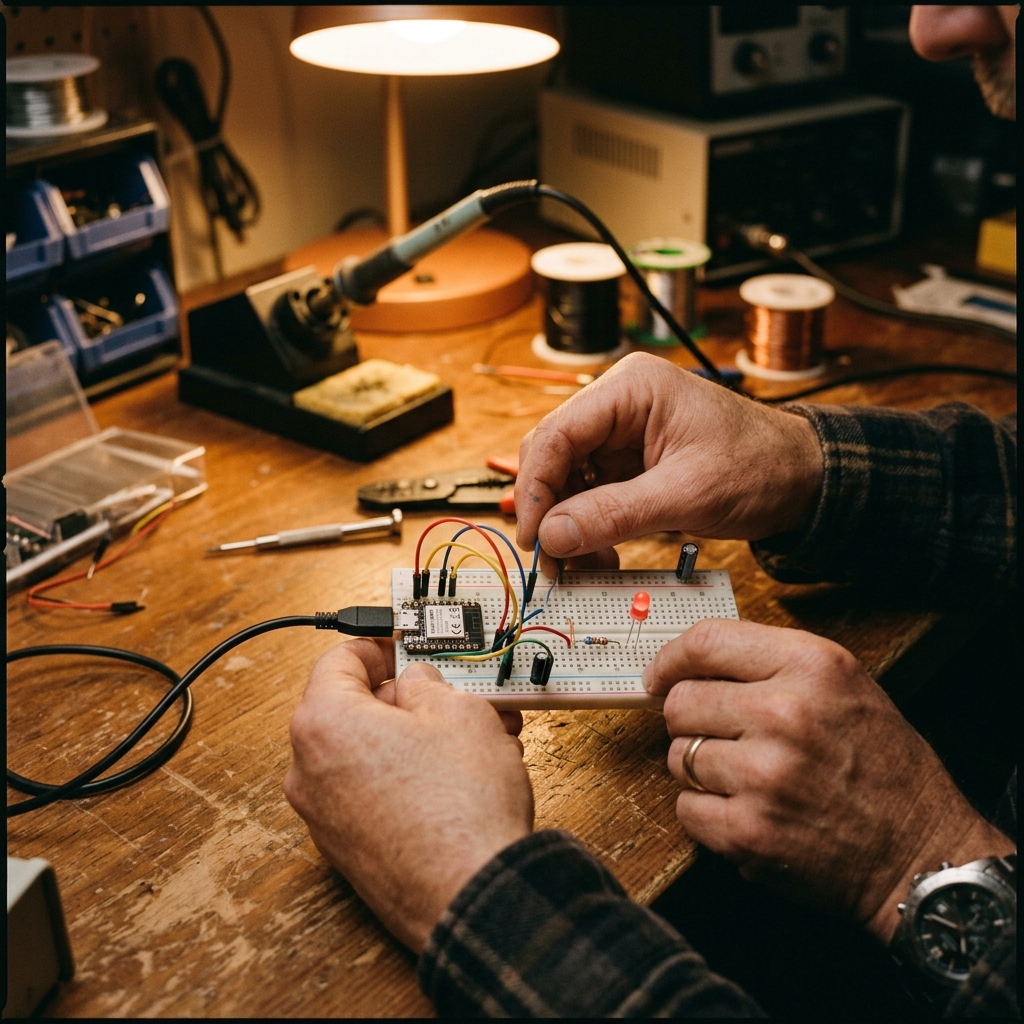
Core Hardware
- A Grove Beginner Kit 11-Module Integrated Board · No Soldering
- B Wio Terminal 2.4″ Color Screen + Joystick + Buttons
- C XIAO ESP32S3 Sense Thumbnail-Sized + Camera + Microphone
- + Grove 40-in-1 Parts Pool Group Shared · Freely Access During Projects
What This Module Solves
Students can't code, qualified teachers are scarce, and there's always a gap between ideas and prototypes — hardware education gets stuck behind the false barrier of "learn to code first." M0 removes that barrier, letting imagination become the real challenge again.
- Difficulty
- Beginner
- Duration
- Full Version 16–20 Hours
- Shortest Format
- Half Day · 2 Hours
- Teaching Format
- 3 Layers, 6 Types
- Hardware Platform
- A/B/C Three Layers · Grove / Wio Terminal / XIAO
- AI Coding
- Codecraft Cloud + aily-blockly Local
None
Typical Scenarios
What kind of person will the student become?
M0 teaches what determines quality after the entry barrier disappears.
01
Sense → Logic → Output
Pick up any smart product and immediately deconstruct "what it senses, how it judges, what it outputs", and draw your own system sketch.
02
Articulate Your Ideas
Turn "I want to make a water reminder" into a structured requirement AI can precisely understand: input / logic / output / boundaries.
03
Collaborate with AI
5 Principles of AI-Assisted Programming: Change one thing at a time, paste error messages back verbatim, get it working first then optimize, ask AI to explain, and keep the version that works.
04
BMAD 5-Role Workflow
Use PM/UX/Architecture/Development/Testing five roles to drive AI step by step, transforming a "running" prototype into a "structured, maintainable" project.
05
Debug & Iterate
Understand errors, find problems, fix your work; know the 3-step help method when stuck — ask AI, ask a classmate, ask the teacher.
06
Document & Present
Write maker journal, record 30-second demo video, present "pain point → solution → demo → value" to a stranger in 2 minutes.
BMAD is not just a method for building hardware. It works for homework, group projects, event planning — any process you can think of. This is a "meta-method" students can take with them — and likely the one thing from this course they'll still be using ten years from now.
Codecraft helps you dare to make, aily-blockly helps you finish it
M0 adopts dual-platform relay toolchain for zero-install, 5-minute results.
Codecraft
Browser · Zero Install · Results in 5 Minutes
- Complete Beginner
- Can Make It Run
aily-blockly
Desktop · Engineered · Project Permanently Yours
- Can Modify Code
- Can Build Engineering Projects
- Take It Home & Continue
Additionally requires SenseCraft AI (no-code visual model deployment & training, for Module 5 & Vision Taster, needs internet), NLHD 15-chapter Chinese textbook (open-source, free, for long-term self-study after course).
Sensing · Interaction · Vision, three-tier capability progression
Sub-kits divided by hardware platform, not L1/L2/L3 mastery depth.
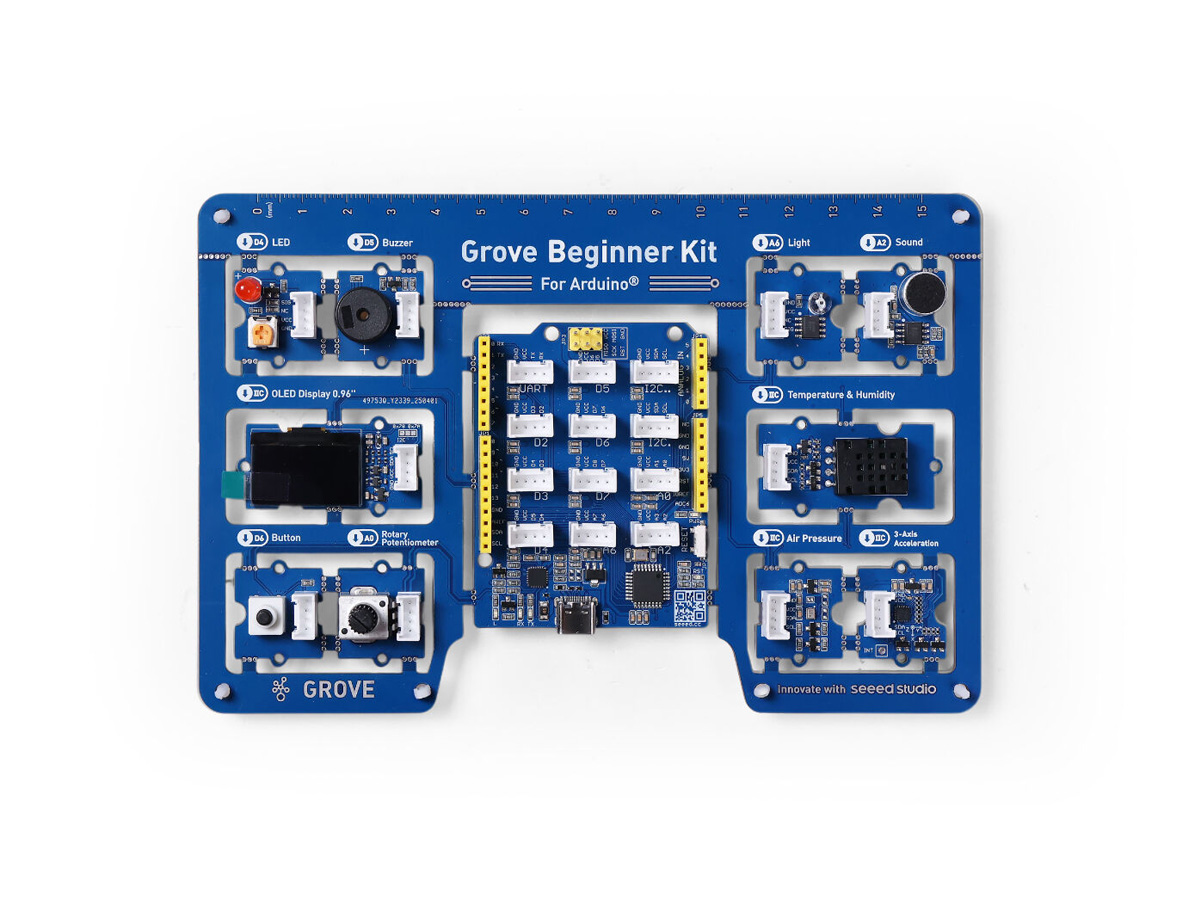
M0-A
Environmental Sensing
Grove Beginner Kit
11-module integrated board: OLED display, buttons, knob, buzzer, LED, light / temperature-humidity / air pressure / sound / accelerometer sensors. No soldering, no breadboard. Your first "Sense → Logic → Output" closed-loop project.
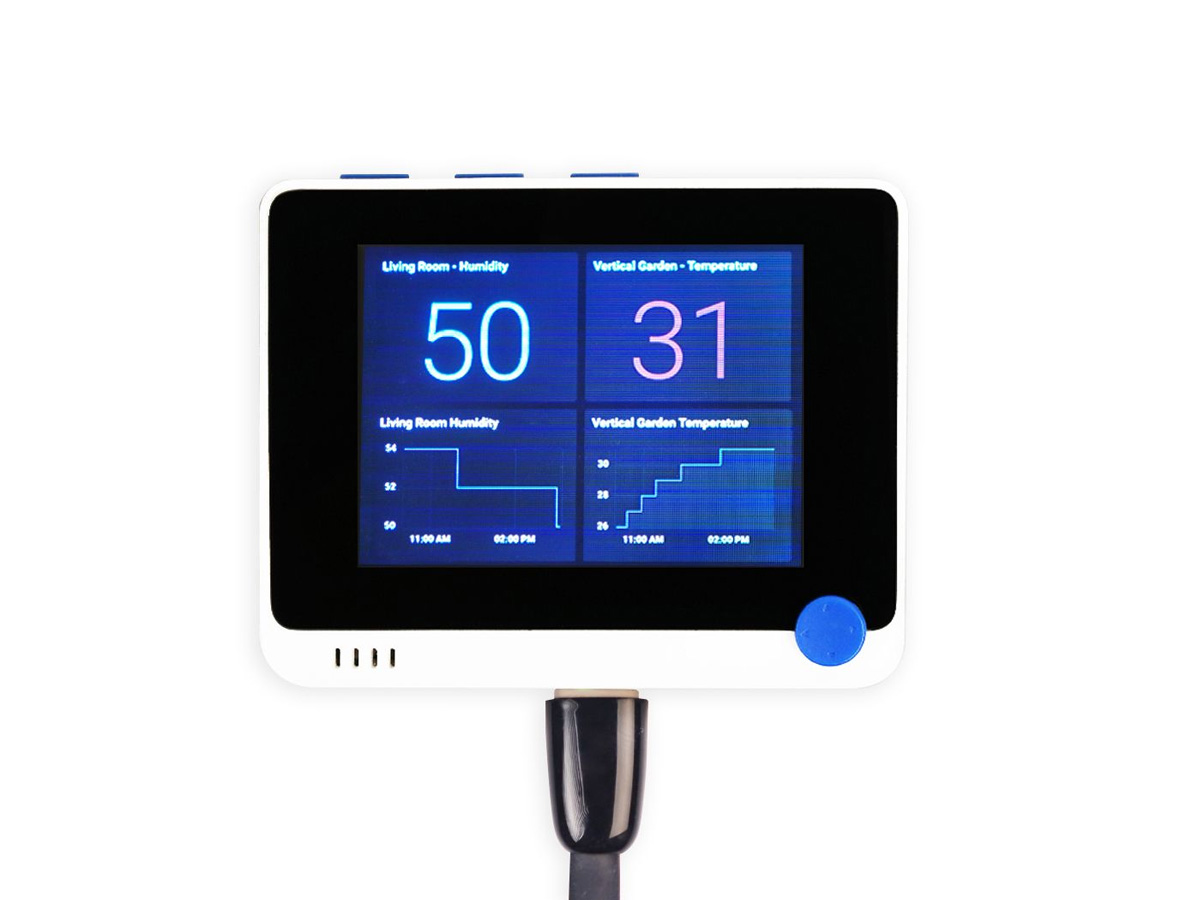
M0-B
Interaction Design
Wio Terminal
A handheld dev board with a 2.4-inch color screen, 3-axis joystick, 3 buttons, built-in accelerometer, and Grove interface. Build interactive HMI projects: smart Pomodoro timer, spirit level, motion-based mini-games.
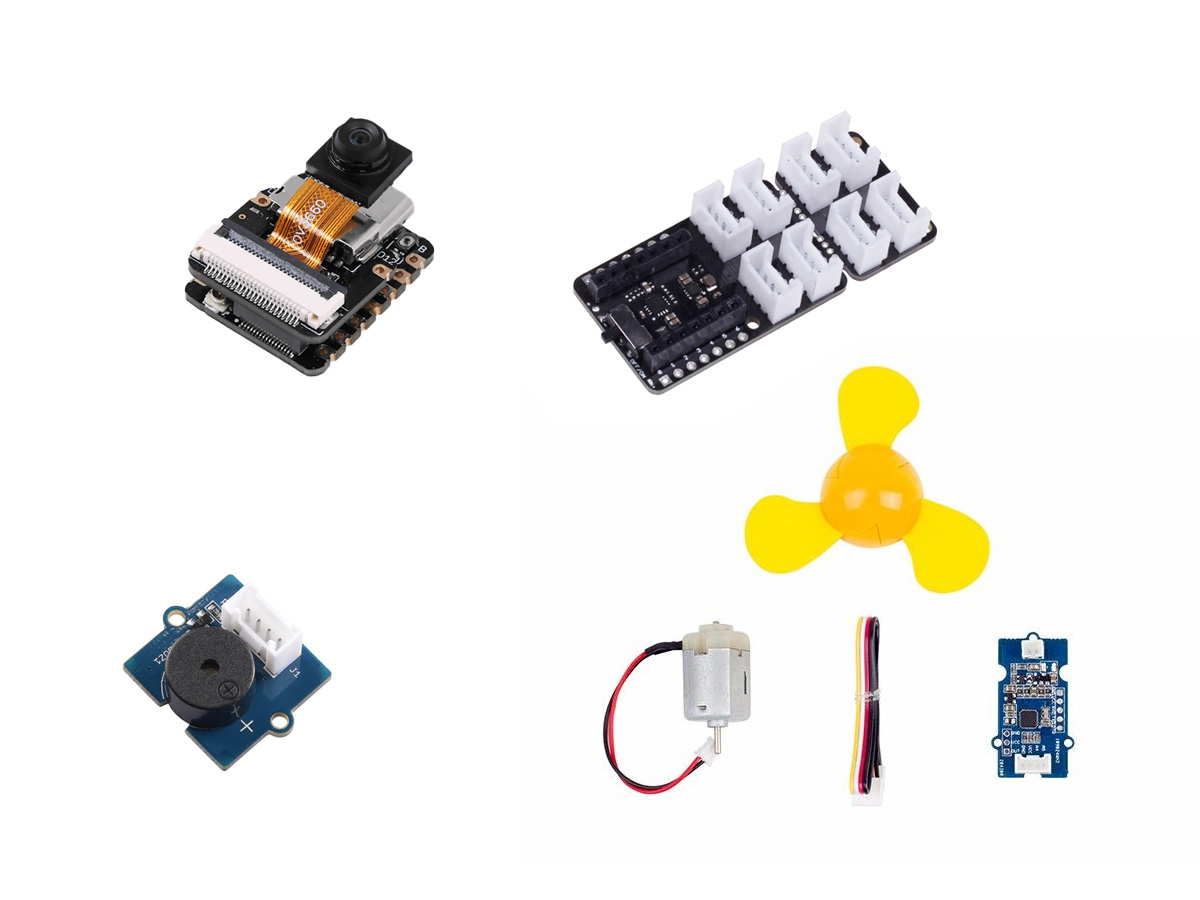
M0-C
Visual Intelligence
XIAO ESP32S3 Sense
Thumbnail-sized main controller + OV2640 camera + digital microphone + SD card slot, with expansion board, buzzer, mini fan. Edge AI: image classification, face/object detection.
Curriculum / 10 teaching modules
Same module order, you choose the cut
Select a format to see which modules it covers.
| Module / Output | Weekly10×2h | After-School16×1h | Bootcamp4–5 Days | Marathon2 Days | Programming2h | Vision2h | ||
|---|---|---|---|---|---|---|---|---|
| 01 | Impossible Challenge5 Minutes to Display Your Name on Screen · Building the AI Programming Mindset | Codecraft | Full | Full | Full | Full | Partial | None |
| 02 | Grove AdvancedSense→Logic→Output Loop · 5 Laws of AI-Assisted Programming | Codecraft | Full | Full | Full | Full | None | None |
| 03 | Wio Terminal Screen InteractionInterface, Status, Buttons | Codecraft | Full | Full | Full | None | Full | None |
| 04 | BMAD 5-Role WorkflowFrom "It Works" to "It's Structured" · Smart Pomodoro Timer | Codecraft + BMAD | Full | Full | Full | Partial | Full | None |
| 05 | XIAO + CameraWhat is Edge AI (TinyML) · Image Classification in Practice | SenseCraft AI | Full | Full | Full | None | None | Extended |
| 06 | Find a Real ProblemFinal Project Topic Lockdown + PRD + System Sketch | — | Full | Full | Full | Full | None | None |
| 07 | Prototype v1MVP Breakdown: Max 3 features, must form a closed loop | Codecraft | Full | Full | Full | Full | None | None |
| 08 | Key Turning PointFrom Browser to Desktop — First Time "Owning" Your Own Project | aily-blockly | Full | Partial | Full | None | None | None |
| 09 | From Toy to ProductCustom Sensors/Libraries · Appearance · User Testing + Peer Review | aily-blockly | Full | Partial | Full | Partial | None | None |
| 10 | Demo DayPolish → Record Video → Demo → Closing | Self-Selected | Full | Full | Full | Full | Partial | Partial |
● Full◐ Partial— None●+ Extended
What ●+ means: the full version of Module 5 has only one session, but the Vision Experience session spends a full 2 hours on vision alone — which means you get this extra segment of "collect your own data, train your own model, deliberately train it wrong," and that's precisely where the most value lies.
Pick the layer, then the format
Time and goals determine which layer to choose.
Full Version
Full FP16–20h · M0-A + B + C + Parts Pool
- Weekly Schedule10 Sessions × 2 hours · 20h
Club Classes, Weekend Camps, Weekly Regular Courses
- After-School Schedule16 Sessions × 1 hour · 16h
After-School Programs / 4:30 Classes with Shorter Sessions
- Intensive Schedule4–5 Days × 4 hours · 16–20h
Winter/Summer Camps, On-Campus Bootcamp Weeks
Codecraft + aily-blockly + SenseCraft AI · Full coverage of 10 modules
Marathon Edition
Lite FP2 Days · 12–14h · M0-A + Parts Pool only
- Day 1 MorningModule 1 + 2
Impossible Challenge → Grove Sensing Loop → 3 Mini Projects
- Day 1 AfternoonModule 6 + 4 (BMAD Lite)
Find a Real Problem → Team Topic Selection → PRD
- Day 2 MorningModule 7
Parts Pool Selection → Prototype Sprint → MVP v0.1
- Day 2 AfternoonModule 9 + 10
Iterate → Document → 30s Video → Demo
Single hardware platform is intentional: invest all time in creativity, prototyping, and documentation. Recommended TA ratio: 1:5–6.
Taster Session
No FPHalf Day 2h · Zero Install · Single Hardware
- Coding Taster SessionWio Terminal × Codecraft
Sell "AI can do things for me" — build a Smart Pomodoro Timer in 2 hours, walk through BMAD. Transferable methodology.
- Vision Taster SessionXIAO × SenseCraft AI
Sell "AI fits in a fingernail" — train your own model without writing a single line of code. Lowest barrier.
Two sessions can combine into a full-day (4h) experience: morning coding, afternoon vision, covering both generative AI and edge AI tracks.
The Coding Taster is the standard workshop for the Chaihuo Mobile Base Vehicle (MCV) national tour. Zero install, single hardware, 2-hour closed loop, offline only slows down but won't cancel — these four properties are exactly what "arrive and teach same day" requires. MCV division of work: pop-up stop → Coding Taster; two-day campus stay → Marathon; with internet and AI theme → Vision Taster.
Before choosing After-School Schedule (16×1h): 16 × 1h = 16 hours, 4 hours less than Weekly Schedule's 20h; each session has ~10min fixed overhead (boot up, distribute devices, connect, pack up), more sessions = more loss — actual hands-on time ~13h vs 18h. Trade-offs are real: FP iteration compressed from two rounds to one, demo day 1 hour is tight, recommend fighting for double-period sessions.
For 16 sessions, we recommend twice a week, not once. Once a week stretches the timeline to 16 weeks (roughly a full semester), and students will lose momentum on their Final Project. Twice a week ≈ 8 weeks, matching the pace of the weekly format.
The only hard constraint for the Vision Taster is internet. SenseCraft AI trains in the cloud, requiring external network access and supporting whole-class concurrent uploads — coding taster offline is just slow, vision taster offline is complete failure. Before deployment, Chaihuo will test the full chain on-site and prepare hotspots and pre-trained models as fallback.
Who This Course Is For
We Hope You Transform It Beyond Recognition
This course is not a closed product, it's a foundation. Chaihuo is a makerspace, open-source is our nature — M0 delivers not just "one class session", but a complete set that can be taken apart, rewritten, reassembled: 10-module skeleton, teacher lesson plans & PPTs, student handbook, Codecraft cloud projects, NLHD open-source textbook, 40-in-1 parts pool.
Opening 01
Switch Theme
Module 6 "Find a Real Problem" has an open problem domain: your subject, your school's tech festival, something real happening in this city. The closer the problem is to students' lives, the better — and you know this better than we do.
Opening 02
Connect Resources
Your existing club projects, competition topics, school-based curriculum can connect after Module 7, becoming the Final Project direction pool. M0 removes the technical barrier — what's behind the door is up to you.
Opening 03
Add Your Own
What you've accumulated over years of teaching: methods, metaphors, that moment that makes students' eyes light up — that's exactly what we don't have and can't provide.
The best fate of a course is not being executed perfectly once, but being transformed beyond recognition by a teacher, becoming a course that only they can teach.