Multimodal AI Interaction
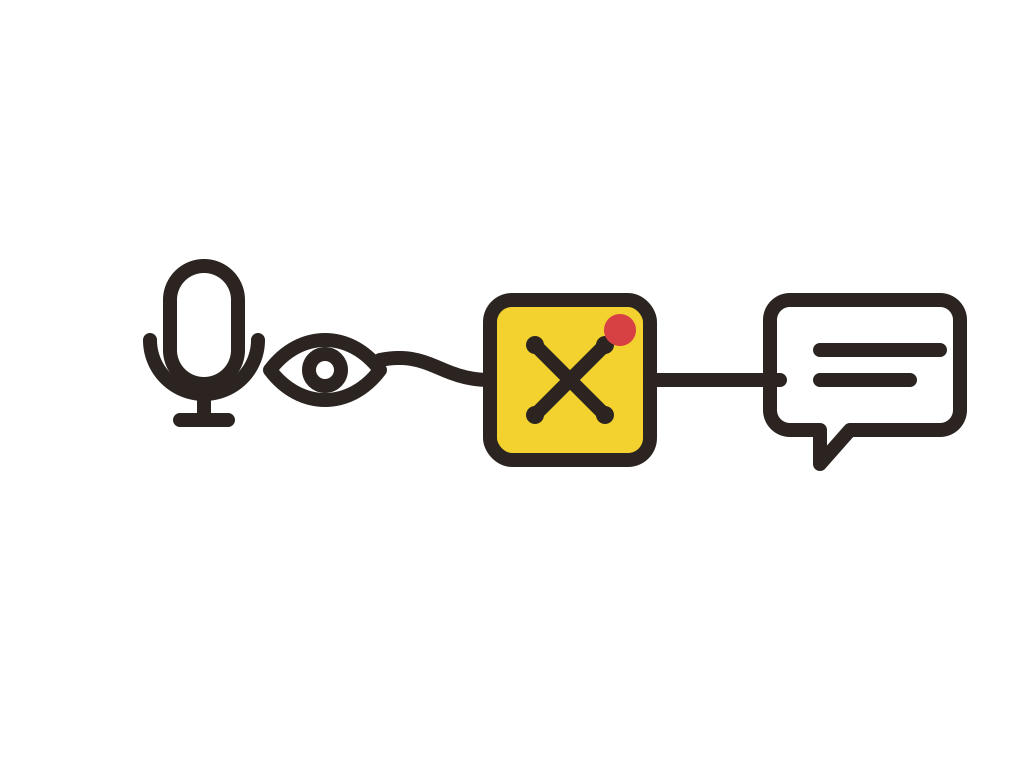
Based on physical AI terminals, integrating edge vision, voice, and business-system APIs to enable multimodal spatial interaction.
Core Hardware
- WATCHER SenseCAP Watcher XiaoZhi English Edition On-Device Multimodal Interaction Terminal · Voice Capture & Vision Recognition Entry
- GW reComputer RK3588-40 Edge Intelligence Controller · Business System & MCP Bridge Host
- HMI reTerminal D1001 8-Inch Industrial Smart Touchscreen · Workstation HMI
- GPU reComputer J4012 (Jetson Orin NX 16GB) L3 Advanced Compute Host · Pure Local Offline Voice Pipeline
What This Module Solves
In scenarios such as warehouse management, exhibition hall guidance, and smart reception desks, on-site staff must stop manual operations and retrieve business data via keyboard or mobile phone, resulting in low efficiency. Traditional interaction terminals lack visual context and cannot proactively detect approaching personnel or abnormal actions. Smart terminals are often closed ecosystems, making integration with existing WMS/ERP/CRM systems difficult; some industrial and government/enterprise scenarios prohibit audio and business data from being uploaded to the public internet.
- Difficulty
- Advanced
- Duration
- L1 1 day / L2 2–3 days / L3 3–5 days
- Shortest Format
- 1 day (Taster Session · L1)
- Teaching Format
- 3 tiers: Taster / Workshop / Bootcamp
- Core Protocols
- MCP / REST API / Wi-Fi
- L3 Offline Compute
- 100 TOPS(Jetson Orin NX 16GB)
L1: zero baseline or first-time exposure to edge AI interaction devices. L2: Docker fundamentals and REST API calling experience required. L3: Linux, PyTorch/Jetson fundamentals, and shell operation skills required.
Typical Scenarios
Key Capabilities
- On-device vision object detection and event triggering
- Natural-language voice queries and Agent role configuration
- Business-system tool calling based on the MCP protocol
- Local WMS system Docker deployment and API integration
- Pure local offline voice AI pipeline deployment (VAD→ASR→LLM→TTS)
Course Hardware
This course centers on "visible AI terminals + local inference compute".
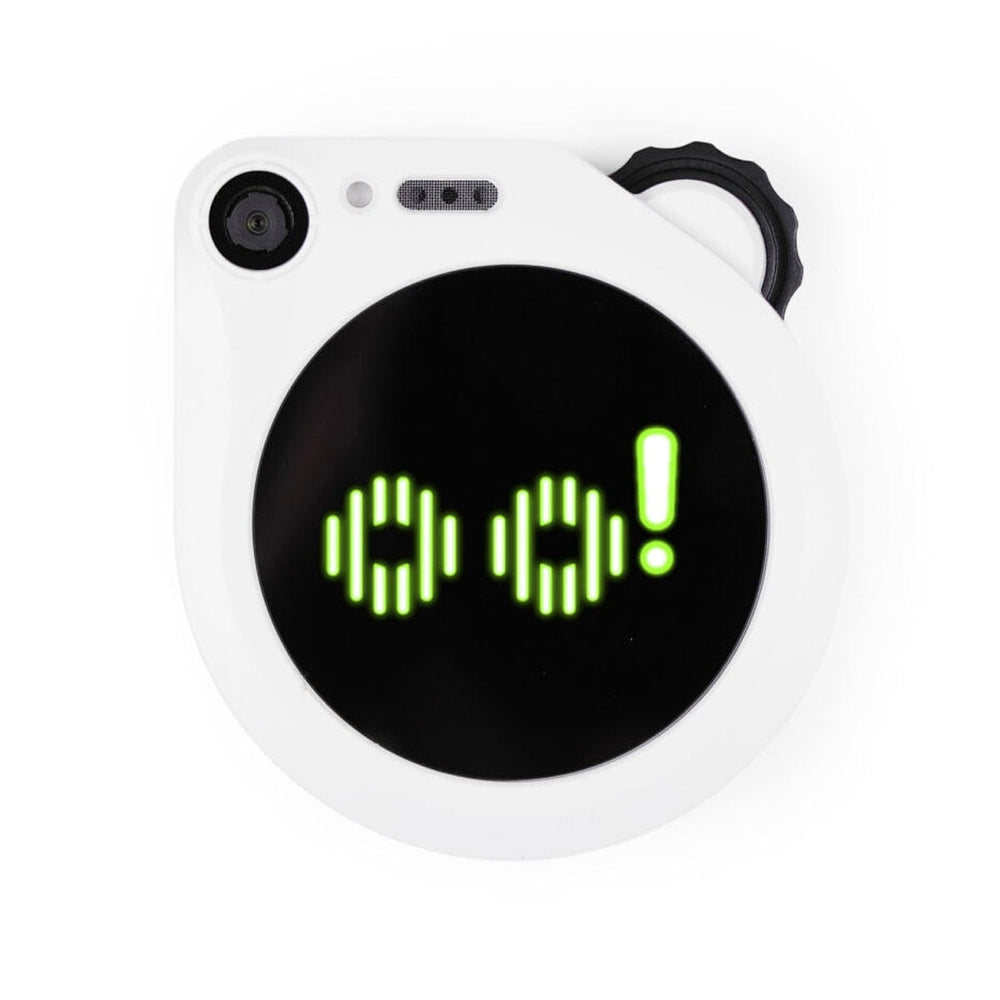
SenseCAP Watcher (XiaoZhi English Edition)
On-device multimodal interaction terminal, voice capture and vision recognition entry point
Integrates audio/video capture and screen display, supports object detection, person-approach sensing, and natural-language voice interaction; connects to the SenseCraft AI platform via Wi-Fi. SKU 100051523, 2 units per group.
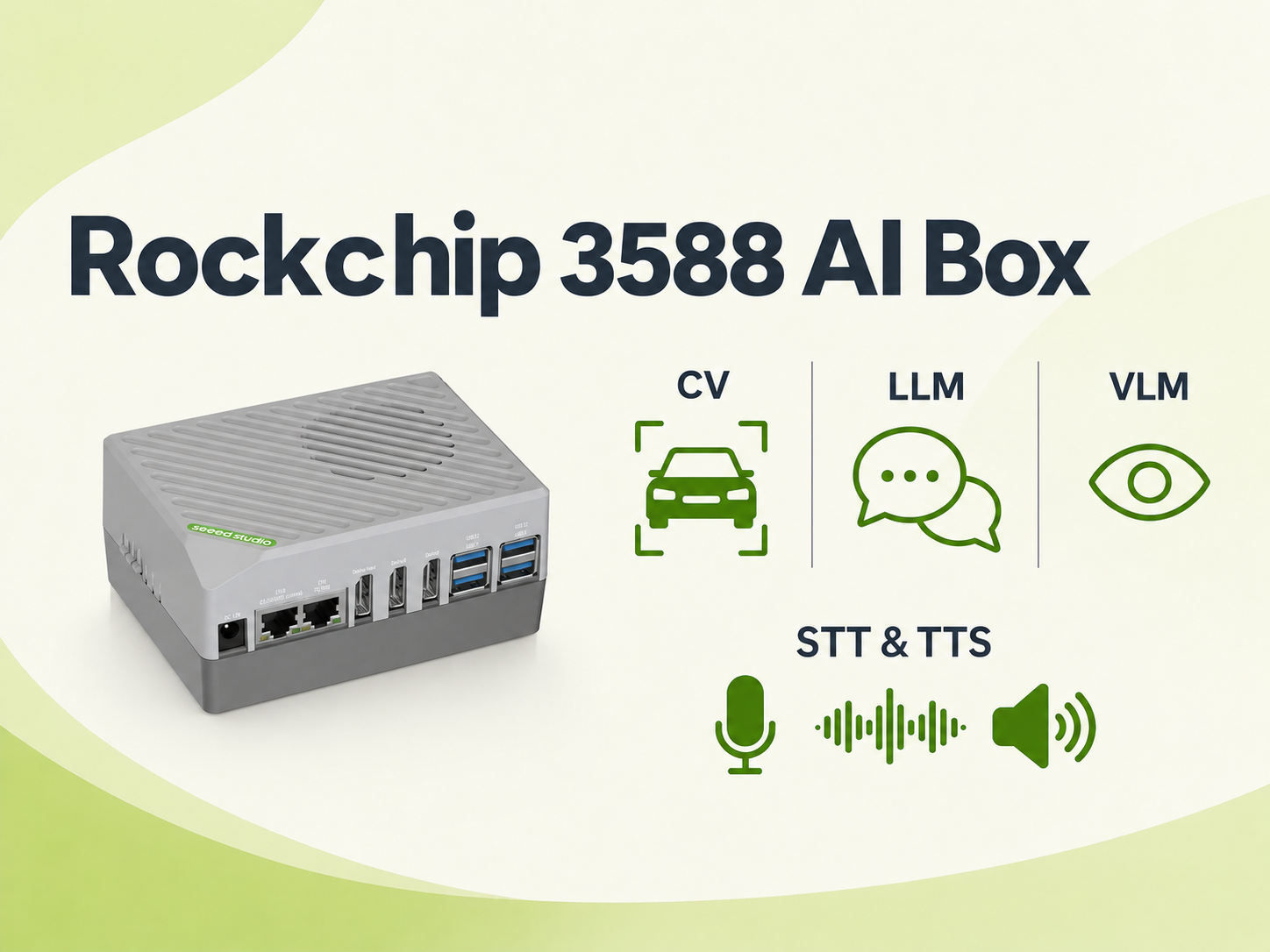
reComputer RK3588-40 Edge Intelligence Controller
Edge host running business systems and MCP bridge services
16GB RAM, 6 TOPS compute, running Docker-containerized WMS warehouse system and MCP Bridge service, enabling integration between LAN business data and LLM tool calling. SKU 100086238, includes 12V power adapter.
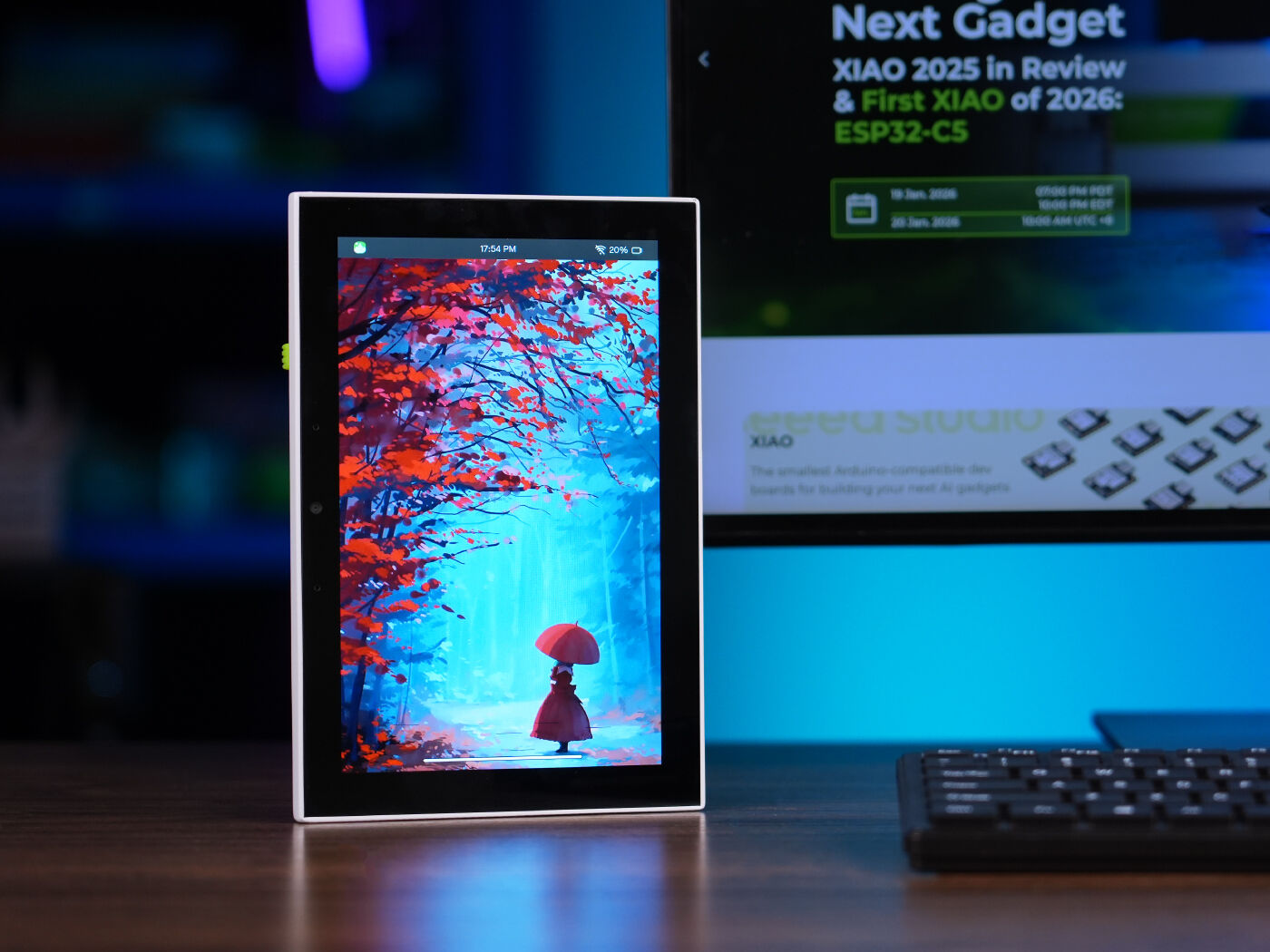
reTerminal D1001 8-Inch Smart Touchscreen
Workstation HMI, warehouse business data entry and status monitoring
8-inch industrial smart touch terminal, with camera and dual microphones, SKU 100058144. Serves as a workstation HMI for warehouse business data entry and status monitoring, can directly connect to the host to display the WMS management console and interaction logs.
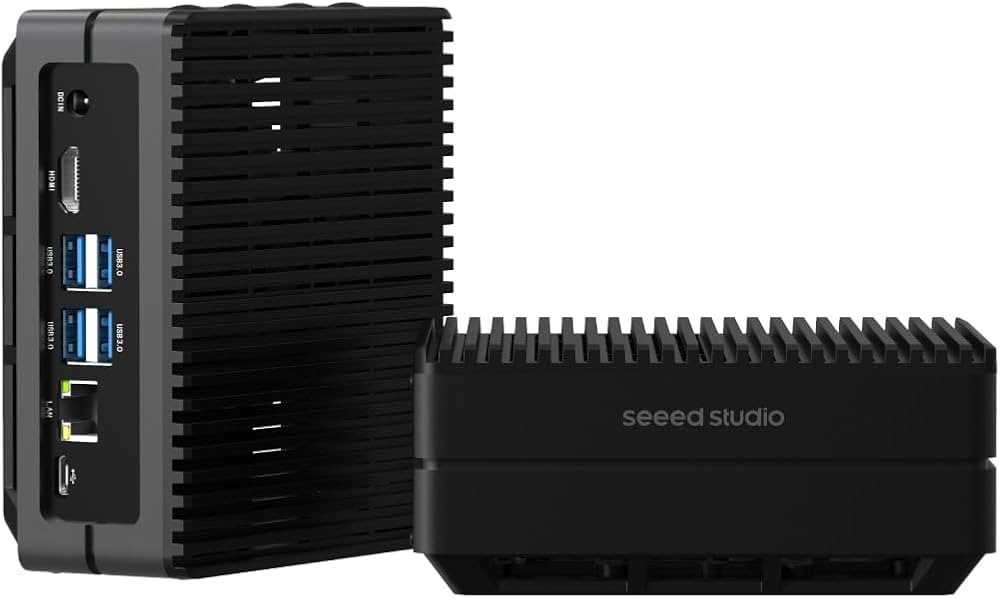
reComputer J4012(Jetson Orin NX 16GB)
L3 advanced edge compute host, deploying pure local offline voice pipeline
100 TOPS-class compute, pre-installed JetPack/CUDA/TensorRT/PyTorch environment, deploying Silero VAD + Whisper ASR + Qwen LLM + ChatTTS pure local offline voice AI pipeline, usable even without network. SKU 114110314, with 19V/4.7A power adapter.
另配便携式现场显示器(13.3" 1080P)、CUDY AX3000 Wi-Fi 6路由器、供电排插、六类千兆网线、智能仓管WMS实操模拟物料包(条码标贴/货位标签/实体样本盒)、Watcher桌面支架等通用配件。
Codecraft helps you dare to make, aily-blockly helps you finish it
M0 adopts dual-platform relay toolchain for zero-install, 5-minute results.
SenseCraft AI + Watcher
Cloud LLM + On-Device Multimodal Terminal · Zero-Code Configuration
- Watcher Network Setup & Binding
- Vision Model & Agent Role Configuration
- Voice Query & MCP Tool Calling Experience
MCP Bridge + Docker + OpenClaw
Standard Protocol Bridging · LAN Business Data Stays In-Domain
- Local WMS Docker Deployment
- MCP Bridge config.yml Configuration
- OpenClaw Automation Tool Registration & Integration Testing
Jetson Orin NX + Offline Voice Pipeline
VAD→ASR→LLM→TTS Pure Local Closed Loop · Zero Public-Network Dependency
- JetPack Environment Verification
- Quantized Model Deployment & VRAM Tuning
- Offline Integration Testing & Latency Optimization
L1/L2 relies on internet connection to LLM services; L3 requires 100 TOPS-class edge compute (Jetson Orin NX 16GB), RK3588-40 (6 TOPS) cannot host local LLM inference.
Three-tier Progression: Demo → Consultant → Design
Multimodal Interaction Capability Experience
Own a dedicated AI voice assistant, directly query data and control devices through everyday speech
- Understand the technical architecture combining edge vision and LLM Agent
- Master the core role of the MCP protocol in integrating on-device AI with business systems
- Master the selection logic between cloud collaboration and local deployment across business scenarios
Business System Integration and Linkage Configuration
Integrate internal business systems, let voice interaction directly flow work orders and simplify cumbersome operations
- Independently configure Watcher vision and voice Agent parameters
- Master Docker-based deployment of local business systems and MCP bridge services
- Master the method of extending new business APIs via the MCP protocol
End-to-End Local Offline Voice AI Pipeline Deployment
Achieve pure local offline deployment, usable without network and core business data never leaves the intranet
- Master the complete local end-to-end VAD→ASR→LLM→TTS voice pipeline architecture
- Master LLM quantization and deployment optimization methods on Jetson edge computing hardware
- Capable of delivering AI interaction solutions in high-privacy and industrial isolated-network environments
Curriculum / 15 teaching modules
Same module order, you choose the cut
Select a format to see which modules it covers.
| Module / Output | Taster1 day | Workshop2–3 days | Bootcamp3–5 days | ||
|---|---|---|---|---|---|
| 01 | Pre-class Preparation and Environment Pre-checkHardware bench inventory, network connectivity testing, Watcher firmware pre-check and platform account initialization, RK3588-40 Docker environment and WMS image pre-loading, J4012 JetPack environment pre-loading, teaching material preparation | — | Full | Full | Full |
| 02 | Multimodal Interaction Architecture & Core ConceptsEdge vision, voice Agent, MCP protocol, and cloud-edge collaboration architecture analysis; technical differences and selection criteria between cloud-collaboration and local-offline deployment forms | SenseCraft AI | Full | Full | Full |
| 03 | On-Device Lightweight Vision Inference ExperienceWatcher object detection model experience (material recognition, person approach, specific action perception), SenseCraft AI zero-code vision model adaptation, UART and network data output format analysis | SenseCAP Watcher | Full | Full | Full |
| 04 | Scenario-Based Voice Q&A & Agent MechanismWarehouse/retail scenario natural-language real-time query demo, voice input→inference→TTS announcement full-pipeline experience, Agent prompt and role setting, dialogue memory mechanism comparison (no memory/short-term/long-term) | SenseCraft AI Agent | Full | Full | Full |
| 05 | MCP Tool Calling & Business Integration DemoMCP-protocol-based external tool calling demo (real-time warehouse database query), smart warehouse full-pipeline demo (voice inventory query/stock-in/stock-out), OpenClaw desktop automation linkage demo | MCP / OpenClaw | Full | Full | Full |
| 06 | Watcher Vision AI & On-Device Network ConfigurationWatcher network configuration and SenseCraft platform binding, vision model selection and confidence/trigger threshold parameter tuning, event reporting rule configuration (object appearance, zone detection) | SenseCraft AI / Watcher | None | Full | Full |
| 07 | Voice Agent & Role Prompt ConfigurationDefine Agent roles (warehouse assistant/exhibition guide), configure System Prompt and interaction style, memory mode switching and effect verification | SenseCraft AI Agent | None | Full | Full |
| 08 | Local Business Management System Docker DeploymentDeploy sample WMS (suharvest/warehouse_system) on RK3588-40 using Docker and Git, access management console to complete admin initialization and API Key generation, import demo materials and location data | Docker / WMS | None | Full | Full |
| 09 | MCP Bridge Service Configuration & Integration TestingObtain Watcher MCP access endpoint and authentication info, edit config.yml to configure local business system API address and API Key, start MCP Bridge service and verify endpoint handshake status | MCP Bridge | None | Full | Full |
| 10 | OpenClaw Automation Task LinkageDeploy OpenClaw automation tool environment, register automation scripts as MCP-callable tools, configure voice-command-triggered automated queries and scheduled tasks | OpenClaw | None | Full | Full |
| 11 | Full-Pipeline Integration Testing & TroubleshootingExecute typical business command integration testing (inventory query, stock-in submission, logistics tracking), troubleshoot common network timeout/API authentication failure/port conflict issues | — | None | Full | Full |
| 12 | Local Offline Voice Pipeline Architecture AnalysisVAD/ASR/LLM/TTS module responsibilities and data flow latency analysis, offline vs cloud solution metric comparison (end-to-end latency, concurrency limits, VRAM usage, and privacy compliance) | — | None | None | Full |
| 13 | Jetson Runtime Environment & Model Deployment TuningVerify JetPack/CUDA/TensorRT/PyTorch runtime environment, deploy ASR speech recognition model (Whisper/FunASR), deploy 4-bit quantized local LLM (Qwen2.5-7B-Instruct) and TTS engine (ChatTTS/Piper), route Watcher audio stream to local service port | Jetson Orin NX | None | None | Full |
| 14 | Offline Integration Testing & Latency OptimizationPhysically disconnect external network to verify LAN self-closed-loop operation, test each stage latency, tune model context length and sampling parameters | — | None | None | Full |
| 15 | Solution Review and Delivery SummaryGroup result presentation and business scenario adaptation defense, cloud SaaS architecture vs local edge computing architecture cost and selection retrospective, business system API extension specifications and standardized delivery document archiving | — | Partial | Full | Full |
● Full◐ Partial— None●+ Extended
The coverage key maps to course format IDs (taster / workshop / bootcamp), with values of full (complete coverage) / part (abbreviated coverage) / none (not included) / plus (deeper than full version). The taster session focuses on L1 on-device experience and MCP tool calling demo, excluding local business system deployment and offline pipelines; the workshop covers full L1+L2 Watcher configuration, WMS deployment, and MCP bridging; the bootcamp fully covers L1+L2+L3, including Jetson offline voice pipeline deployment.
Pick the layer, then the format
Time and goals determine which layer to choose.
Taster Session
No FP1 day · 6–8h · L1 presentation layer · focusing on on-device experience and MCP tool calling demo
- Day 1 MorningModules 01 + 02 + 03
Environment pre-check → Multimodal architecture concepts → On-device vision inference experience
- Day 1 AfternoonModules 04 + 05 + 15 (abbreviated)
Voice Q&A and Agent mechanism → MCP tool calling and business integration demo → Summary review
The taster session goal is "understand, explain, and demonstrate" — achieve the demo effect of voice query and vision-triggered linkage in 3 minutes. Does not include local business system deployment or offline voice pipelines.
Hands-On Course
Full FP2–3 days · 14–20h · L1+L2 · Watcher configuration + local WMS deployment + MCP bridging + automation linkage
- Day 1Modules 01–05
Environment pre-check → Multimodal architecture → On-device vision → Voice Agent → MCP tool calling demo
- Day 2Modules 06–09
Watcher vision configuration → Agent role prompts → WMS Docker deployment → MCP bridge integration testing
- Day 3 (optional)Modules 10 + 11 + 15
OpenClaw automation linkage → Full-pipeline integration testing → Solution review and delivery summary
The workshop delivers one complete multimodal system integration test including vision perception, voice Agent, local WMS, and automation tools. Student prerequisite: Docker fundamentals and REST API calling experience.
Delivery Course
Full FP3–5 days · 24–35h · L1+L2+L3 · full coverage including Jetson offline voice pipeline deployment and offline verification
- Day 1–2Modules 01–11
Full L1+L2 content (on-device experience + Watcher configuration + WMS deployment + MCP bridging + full-pipeline integration testing)
- Day 3Module 12
Local Offline Voice Pipeline Architecture Analysis
- Day 4Module 13
Jetson Runtime Environment & ASR/LLM/TTS Model Deployment Tuning
- Day 5Modules 14 + 15
Offline integration testing and latency optimization → Solution review and delivery archiving
The bootcamp goal is the ability to deliver AI interaction solutions in high-privacy and industrial isolated-network environments. Student prerequisite: Linux, PyTorch/Jetson fundamentals, and shell operation skills, familiarity with L1–L2 competencies.
The taster session is the standard format for solution demos and client communication: zero deployment barrier, 1-day closed loop, focusing on "voice can query, vision can trigger." Suitable for exhibitions, technology open days, and initial client contact scenarios.
Workshop Day 3 is an optional flexible day: if students have a strong foundation, it can be compressed to 2 days (Day 2 afternoon merged with OpenClaw and full-pipeline integration testing); if more MCP bridge tuning time is needed, use the full 3 days.
L1/L2 cloud collaboration solutions require stable uplink internet bandwidth on site for SenseCraft AI platform and LLM service calls; L1/L2 cannot run in external-network-free environments and must switch to the L3 offline solution.
Speech recognition accuracy is affected by on-site ambient noise, dialect accents, and specialized industry vocabulary; high-noise industrial sites require directional audio capture equipment, and far-field blind capture effects are not promised.
The L3 pure local solution relies on 100 TOPS-class edge GPU hardware (Jetson Orin NX 16GB and above), the 6 TOPS RK3588-40 cannot host local LLM inference.
The taster session does not include local business system deployment or offline voice pipelines. Do not promise clients that taster session students can independently complete WMS deployment or offline pipeline setup — that is the workshop and bootcamp delivery standard.
Who This Course Is For
The value of this course is not in the LLM, but in the method of "integrating business systems into voice interaction"
M2 is not a course that teaches students to "chat with AI," but a methods course teaching teams how to use physical AI terminals and standard protocols to integrate already-existing WMS/ERP/CRM systems on site into natural-language interaction. What Chaihuo delivers is never just "one class session," but a complete set of things that can be taken apart, rewritten, and reassembled: 15-module course skeleton, teacher lesson plans and PPT, Watcher configuration templates, MCP bridge config.yml examples, Docker Compose deployment files, offline voice pipeline deployment manual.
Opening 01
Change the Scenario
The query content of Module 04 "Scenario-Based Voice Q&A" is open: your industry, your client site, a real problem happening in this city. Querying inventory can be warehouse management, exhibition exhibits, or meeting room schedules — the closer the problem is to a real site, the better the effect, and you know this better than we do.
Opening 02
Connect Systems
Your existing client business systems, management software on school training platforms, and partner REST API services can be connected after Module 08 to become the object pool for MCP bridging practice. M2 is responsible for explaining the method thoroughly; what systems to connect behind the door is up to you.
Opening 03
Add Your Own
What you have accumulated in the industry: Agent prompt tuning experience, MCP authentication pitfalls encountered, the analogy that makes students instantly understand voice pipeline latency, the three privacy questions most commonly asked at client sites — those are precisely the parts we do not have and cannot provide.
The best destiny of an AI interaction course is not to be executed in full once, but to be modified beyond recognition by an engineer and then become the solution that only he can deliver.
Scope Boundaries & Compliance
Core Principles
L1/L2 business data flows within the LAN via local MCP bridging, core data stays in-domain; L3 runs purely local offline, zero public-network dependency.
In Scope
- On-Site Target Perception & Structured Business Voice Q&A
- MCP-Protocol-Based WMS/ERP/CRM System Tool Calling
- Edge Vision Event Triggering & Automation Task Linkage
- Multimodal Interaction for Smart Warehousing, Exhibition Guidance, Smart Reception, and Other Scenarios
- Pure Local Offline Voice Interaction in High-Privacy & Industrial Isolated-Network Environments (L3)
Out of Scope
- Does not replace high-concurrency, long-chain dedicated human customer service systems
- Does not promise 100% accurate inference for ambiguous subjective multi-turn logic
- Does not include reverse-engineering development for closed legacy systems without customer-open APIs
- Not applicable to far-field blind capture in high-noise industrial sites (directional audio capture required)
- L1/L2 solutions rely on internet connection to LLM services; external-network-free environments must switch to the L3 offline solution
- L3 offline solution requires 100 TOPS-class edge compute (Jetson Orin NX 16GB and above), RK3588-40 (6 TOPS) cannot host local LLM inference
- Speech recognition accuracy is affected by on-site ambient noise, dialect accents, and specialized industry vocabulary; specific recognition accuracy metrics for particular scenarios are not promised